 Deish Media
Bypass, Bus Glue, then ENERGY
Hear the groove dry, then glued, then one macro pushing six controls at once.
Depth, movement, tone, energy, character and dynamics, in the order the signal travels.
The row of tiles is not a menu; it is the chain, drawn left to right. Space and time first, then the corrective work, then the colour, then the stage that catches what the colour added.
Utility (gain, balance, width, bass mono, channel routing, phase, mute) applies before or after the whole chain, by one switch.
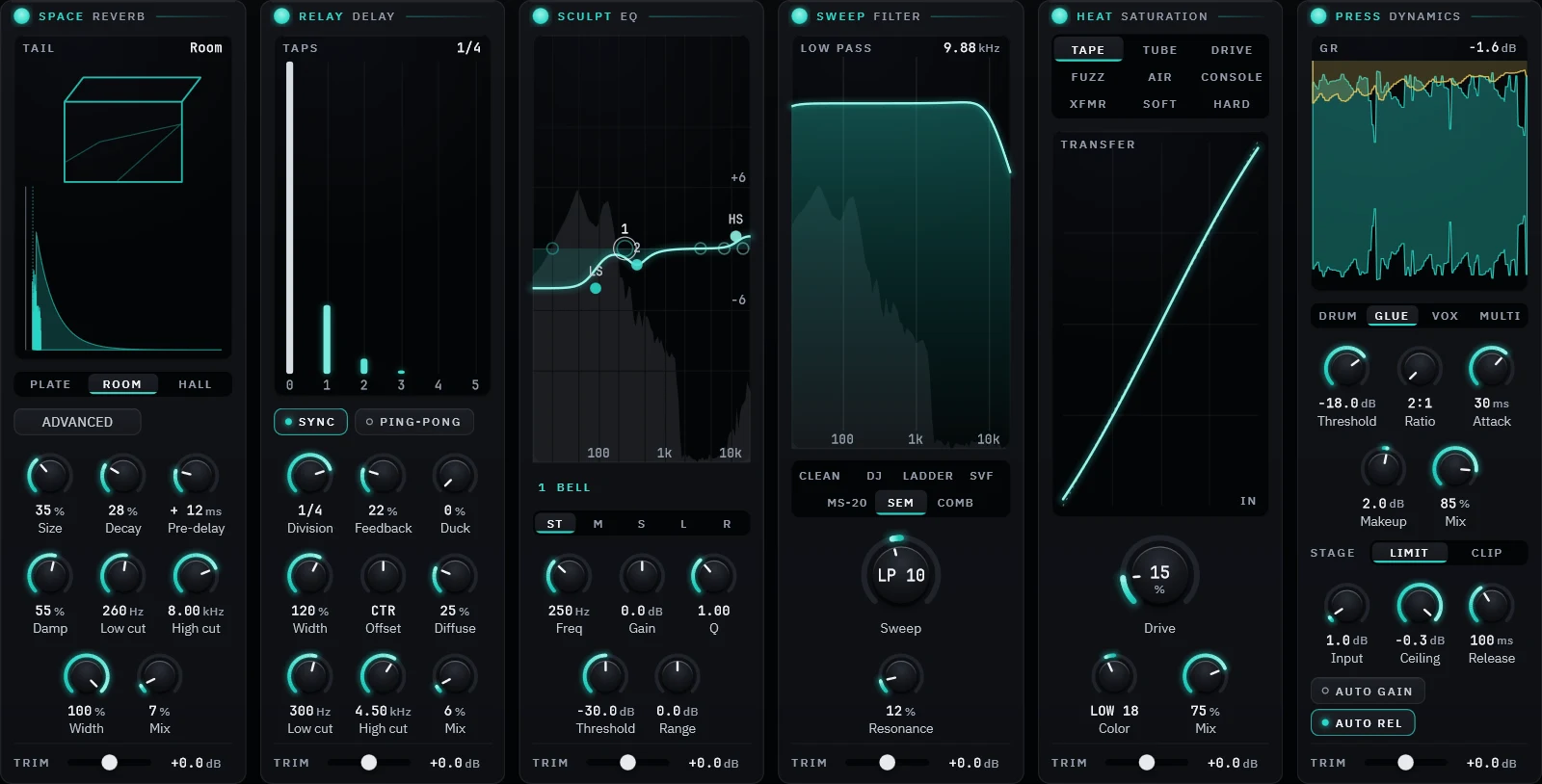
The six route chips in the header drag into any other order, and the tiles reorder with them, so the picture never disagrees with the audio. The order saves with your session. It is deliberately not automatable: a chain that reorders itself mid-song is a bug generator.
Dynamics keeps the last word because its limiter is the only brick wall in the plug-in, and saturation adds peaks. Put HEAT after PRESS and the limiter no longer limits. You can still build that chain; the default just will not do it to you by accident.
Each tile has its own enable, so the chain reduces to the one thing you wanted without losing your settings for the other five. Bypassed modules cost nothing and keep their state.
The limiter uses 2 ms of look-ahead, 95 samples at 48 kHz, and the plug-in tells the host so your DAW can compensate. It is reported only when Dynamics is set to Limiter; the clipper stage adds none, and nothing else in the chain adds any.
Each is named for the move it makes; the first words of every paragraph say which kind of processor it is, and the plug-in prints both on the tile. Every capture below is the running plug-in on a factory preset, cropped to one tile.
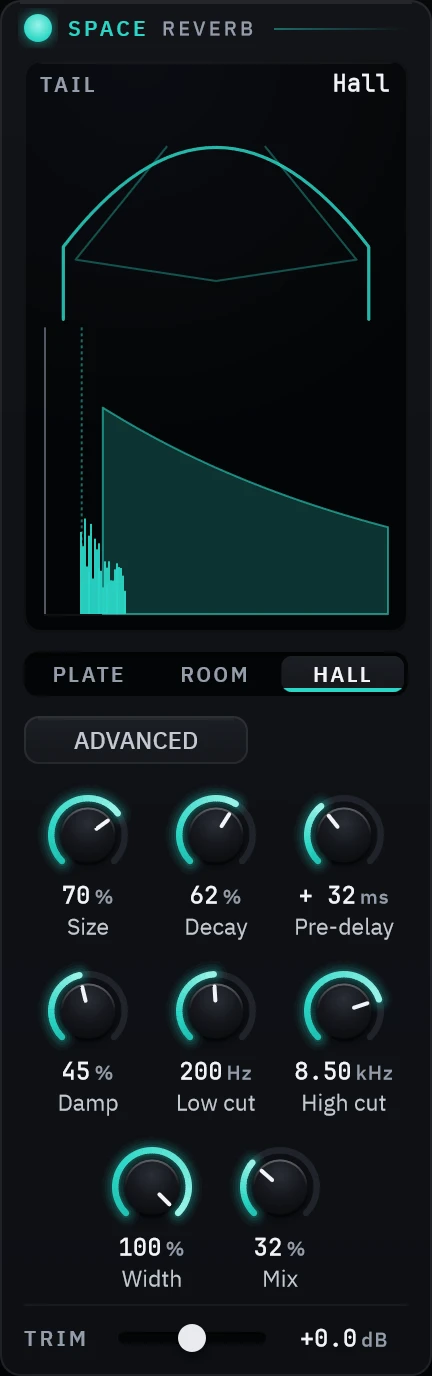
The reverb. An eight-line feedback delay network with a Hadamard mixing matrix, four stages of allpass diffusion and per-line damping. Plate, room and hall each change the early reflections, the pre-delay and the bass decay ratio rather than sitting over one shared algorithm. Plate has no early reflections at all, which is the point of a plate.
PLATE 0.59–3.0 sROOM 0.22–0.92 sHALL 1.3–6.5 s
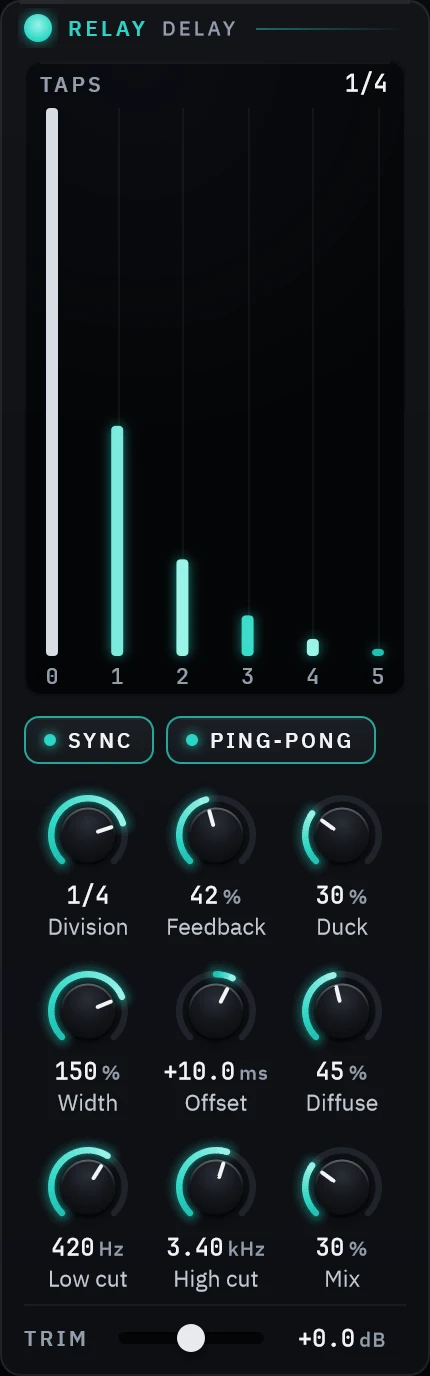
The delay. Tempo-synced from 1/64 to 1/2 with triplets, or free up to four seconds. The high and low cuts sit on the tap itself rather than after it, so the first repeat is already filtered and each echo darkens further than the last. Ping-pong feeds each side from the other side's output.
1/64–1/2 + triplets95% feedbackPing-pong
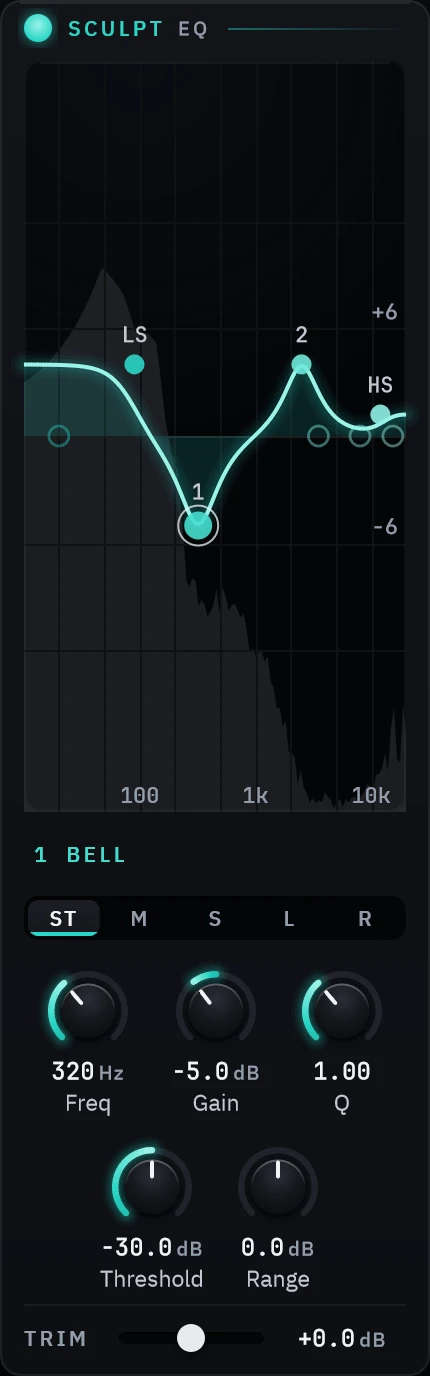
The EQ. Eight typed bands (low cut, low shelf, four bells, high shelf, high cut), each labelled with what it is before you touch it. Every band starts off; grabbing one turns it on. There is no drive and no curve tilt here on purpose: colour is a decision made in HEAT.
±18 dBQ 0.1–18Cuts 6–48 dB/oct
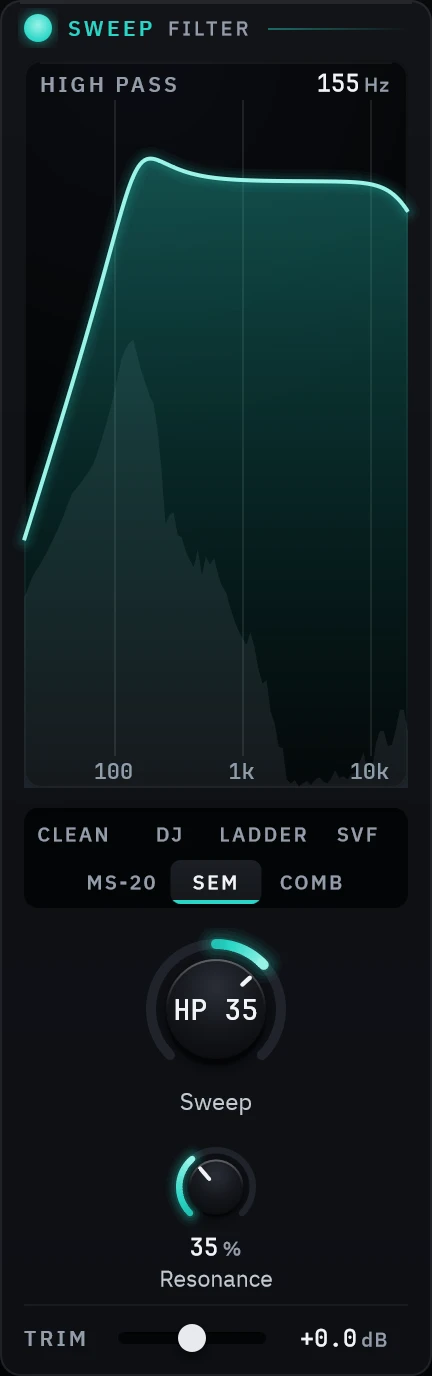
The filter. One bipolar knob: left closes a low-pass, right opens a high-pass, centre is through, the knob you reach for in a transition. Clean is a transparent state-variable pair, DJ adds resonance and drive as it closes, and Ladder is a four-pole that will self-oscillate.
CLEANDJLADDERSVFMS-20SEMCOMB
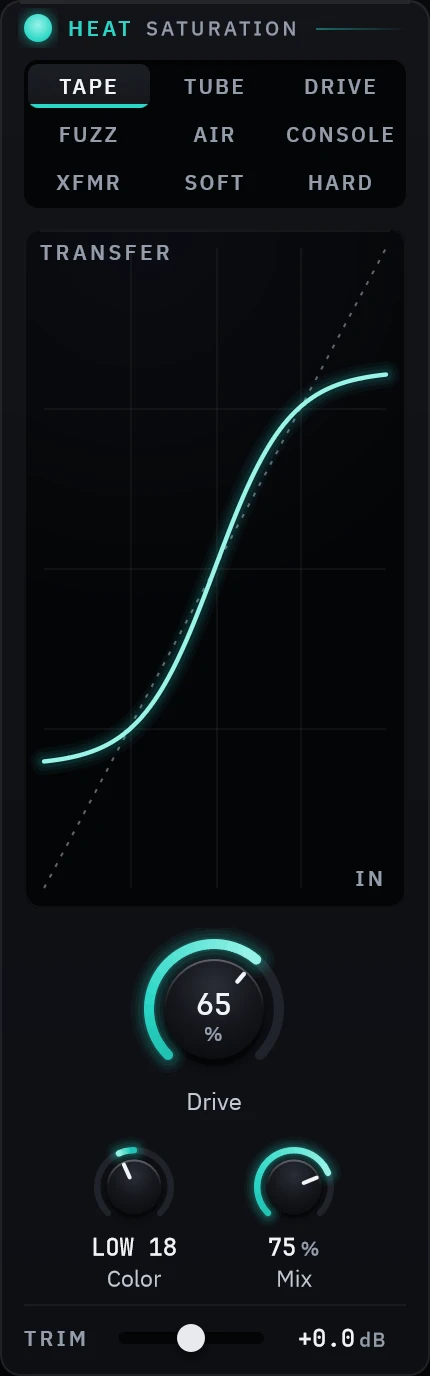
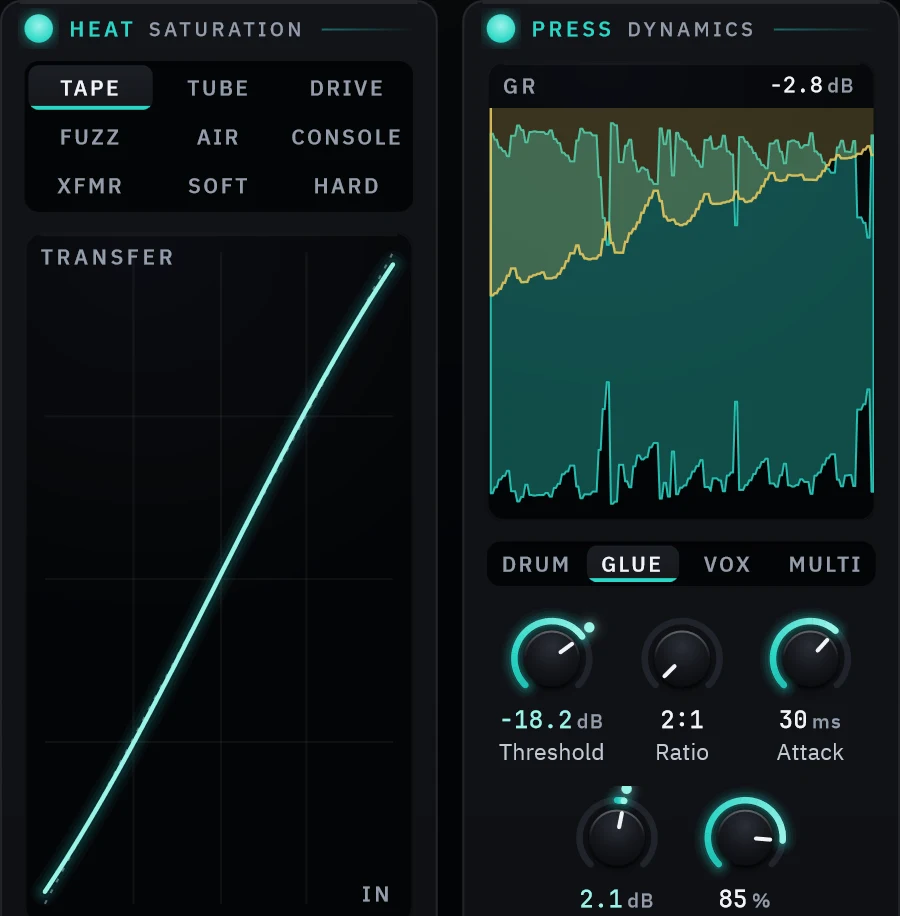
The saturation. Nine shapes, from tape to hard clipping, each voicing its own tone rather than just its own amount of grit: tape gets a head bump and rolloff, transformer gets low-mid weight, tube gets ease. Drive changes the curvature rather than the level, so zero is genuinely transparent, and every curve runs through first-order antiderivative anti-aliasing. Color is a mirrored ±9 dB tilt at 700 Hz around the shaper, so you can drive the low end without muddying it.
TAPETUBEDRIVEFUZZAIRCONSOLEXFMRSOFTHARD
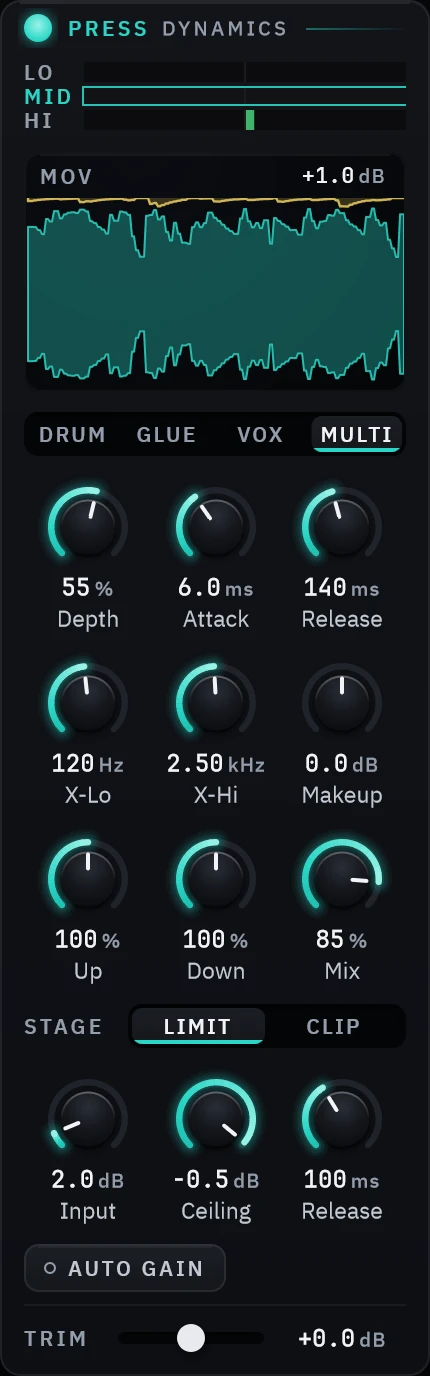
The compressor. Four compressors that are really four detectors: Drum is an RMS detector with a soft knee, Glue is a bus compressor with program-dependent release, Vox is an optical curve with a fixed ratio, and Multi is a three-band Linkwitz-Riley split that compresses upward as well as down. After it sits a 2 ms look-ahead limiter or a soft clipper.
DRUMGLUEVOXMULTILIMITCLIP
Every module is a correct, clean implementation first. Per-module character (tape wow and flutter, bias drift) comes in later versions, once there is something to A/B against. That is the development plan, written down, not a shortcut.
Gain, balance, width, bass mono, channel routing, phase and mute live in a strip under the header with one pre/post switch. Every one of them is something you reach for while looking at something else, which is what a persistent top strip is for.

Pre changes what the six modules hear. Post is the final trim on the way out. That is the only placement decision that was ever real about these controls, and it is now a switch rather than a drag.
0 dB sits exactly at twelve o'clock and the scale is symmetric, so the knob reads as a trim rather than a fader. All the way down is true silence, not −60 dB of something.
Stereo, mono, side, left, right or swapped, plus width from 0 to 200% and a bass-mono crossover from 50 to 500 Hz. A correlation meter sits beside them, so you can hear what a mono system will do and see it at the same time.
The utility controls wear the teal accent, and the six modules wear their own stop of the spectral ramp. Utility has no colour of its own because it has no position in the chain.
The real plug-in window, and what you hear is Base6ix's own output on a bass groove. These have sound: click to play, nothing on this page plays them for you.
Hear the groove dry, then glued, then one macro pushing six controls at once.
One band swept from 60 Hz to 900 Hz while it lifts, curve drawn over the live spectrum.
DRUM, GLUE and VOX on the same groove, then MULTI on the Multi Crush preset.
Prisma hides its controls behind gear pop-outs because in an analyzer the display is the product. This one is a processor, where the controls are the product, so the six tiles carry their own. The gear keeps only what is not a module.
In Prisma the colour ramp means frequency. Here it means where you are in the signal path, warm at the input, violet at the output, so a module is identifiable by hue alone, and the route chips double as the legend.
Six tiles in one row rather than one module at a time behind tabs, so the chain is legible without navigating. A curve editor is cramped at one sixth of the window while a one-knob filter swims in it, so each module carries a weight and the row divides by it.
Same paper ground, same type, same rule that a glow means emission rather than decoration. A departure from the house language gets written down with the reasoning; an undocumented one would be drift.
The release you download today, and what changed in every version.
Stablev1.1.0
Signed and notarized on both platforms. The Windows build is an installer; the macOS
build is a notarized .pkg. Both are the complete plug-in on a 30-day
trial. The same download becomes the licensed version when you paste in a serial.
Installing on Windows? Windows may show an “unrecognised app” prompt the first time, because we are a new publisher. Click More info, then Run anyway. The installer is signed, and the publisher shown is Dishit Patel. The macOS installer is signed and notarized by Apple.
Current
2026-07-31
All six modules, in one window, on both platforms. The capture at the top of this page is the plug-in itself with audio running through it, not a mockup, not a render. Every module has its own enable, so the chain reduces to the one thing you wanted without losing the other five.
Installers are signed on Windows and signed, notarized and stapled on macOS, so neither operating system treats the download as coming from nobody.
Try it for 30 days first. The trial is the complete plug-in: no account, nothing disabled, nothing watermarked. When it ends, the plug-in says so and the activation field is right there. Your sessions keep every setting either way.
Paid once, yours for good. A licence is a lifetime licence for three machines, with every future version of Base6ix included.
Questions or a problem? Licences, machine slots, refunds and bugs: deishmedia@gmail.com. The terms set out the licence and the refund policy.